
The first hire most families never make.
Cubby is the assistant your family would hire if you could: it reads the school email, plans the week and the dinners, drafts the messages, builds the grocery run — and never takes important actions without your OK.
Staff, not software.
Think of the help you'd hire if you could: someone who reads the mail, keeps the calendar honest, preps the dinners, files the forms — and checks with you before anything big. That's Cubby, minus the hiring.
Asks first. Every time it matters.
Cubby preps the work — the RSVP, the grocery order, the note to the coach — then brings it to you for a one-tap yes. It never spends money, sends a message, or books anything without your OK. You choose who in the family sees what. The helper never outranks you.
Groceries for the week — $84.20 · Woodside Market
Built from this week's dinner plan + the running list.
It shows its work.
Every week, a statement of what got done, what you approved, and what came back to you. Proof, not promises.
Your week, receipted · Mar 3–9
The good kind of Friday feeling.
One short brief a day.
The Two-Things Brief arrives once a day with at most two asks. Everything routine is done quietly and listed later. On quiet days, it says you're clear.
Good morning — two things need you today
The coach email
'Can Maya swap to the 9 a.m. game?' Drafted in your voice, shown to you first, sent on your OK.
The dinner run
A week of dinners decided around the picky one. List built. Cart staged: $84.20 — approve?
Paragraph six
The date buried in paragraph six of the newsletter? Already on the calendar. It'll be in tomorrow's brief.
Three steps. Then it's Cubby's problem.
Create your profile
Tell us about your crew. Kids, schools, activities, the works — two minutes of setup so Cubby knows a soccer Tuesday from a swim Thursday.
Connect your apps
Point it at your email inbox. Connect your calendars. Cubby takes it from there — reading, sorting, surfacing what matters.
Watch Cubby work for you
Sit back. (No, really.) Cubby builds the week, preps the actions, and checks in before anything big. Your job shrinks to a series of satisfying little taps.
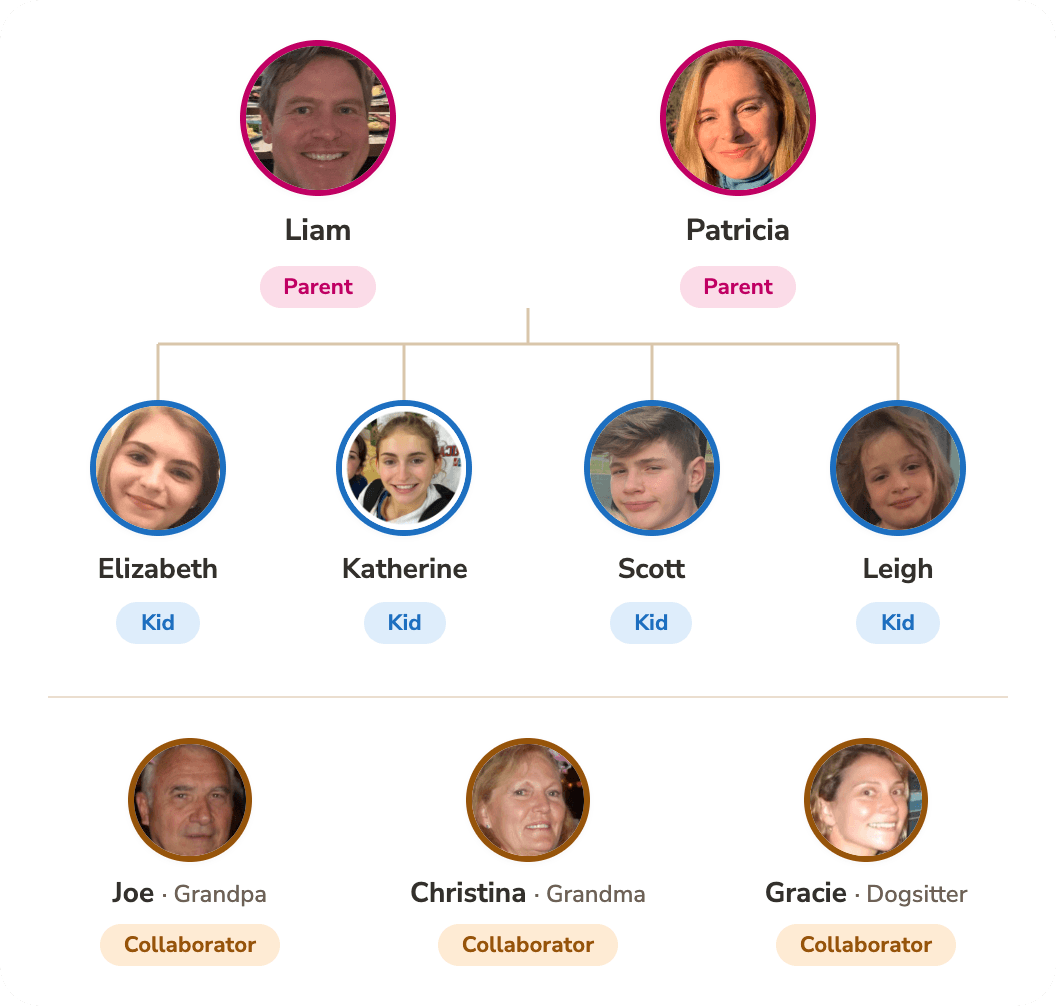
Everyone sees the plan — kids included.
Parents share one view of who's doing what; kids get an age-appropriate view of their own day. Both guardians receive the brief, and either can approve actions.
Get a closer look
A trusted family helper that takes things off your plate but keeps you in control.
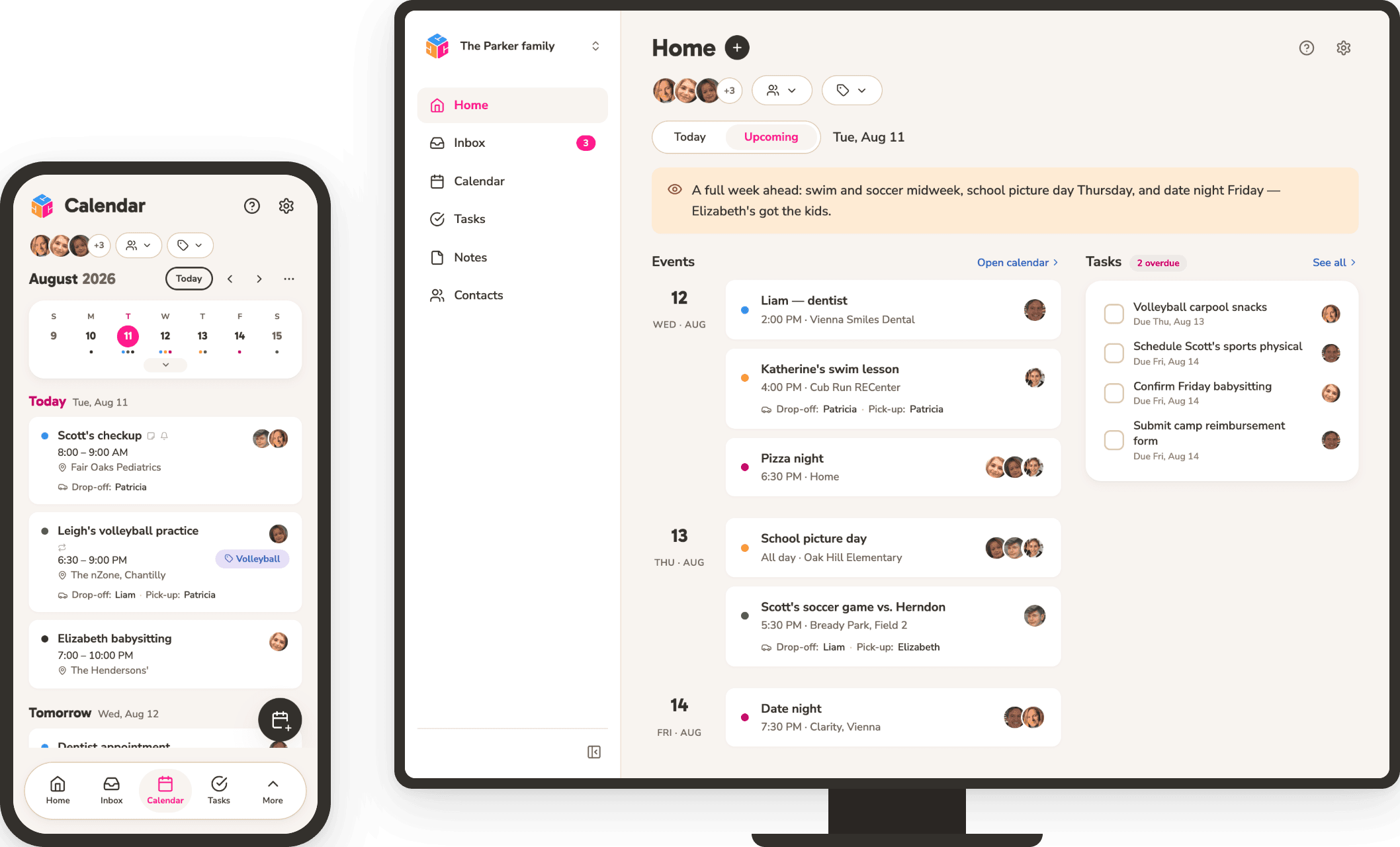
Always know what's coming up
Feel confident in knowing what's coming up — today, this week, and next month. It's all laid out for you.
Always know what's coming up
Feel confident in knowing what's coming up — today, this week, and next month. It's all laid out for you.
Everything stays organized and accessible
Every detail is classified and at your finger tips when you most need it — upcoming events, deadlines for school and activities, important notes and forms, contact info for the babysitter or tutor.
Your whole family knows the plan, even the 9 year old
You and your partner stay aligned on who's driving, who's cooking, who's on homework patrol — and the kids get their own view of what's theirs. The group chat can finally rest.
The help you need to get things done
Cubby learns your family's patterns and acts on your behalf to move things along — always getting your approval before taking important actions.
Plus all the essentials
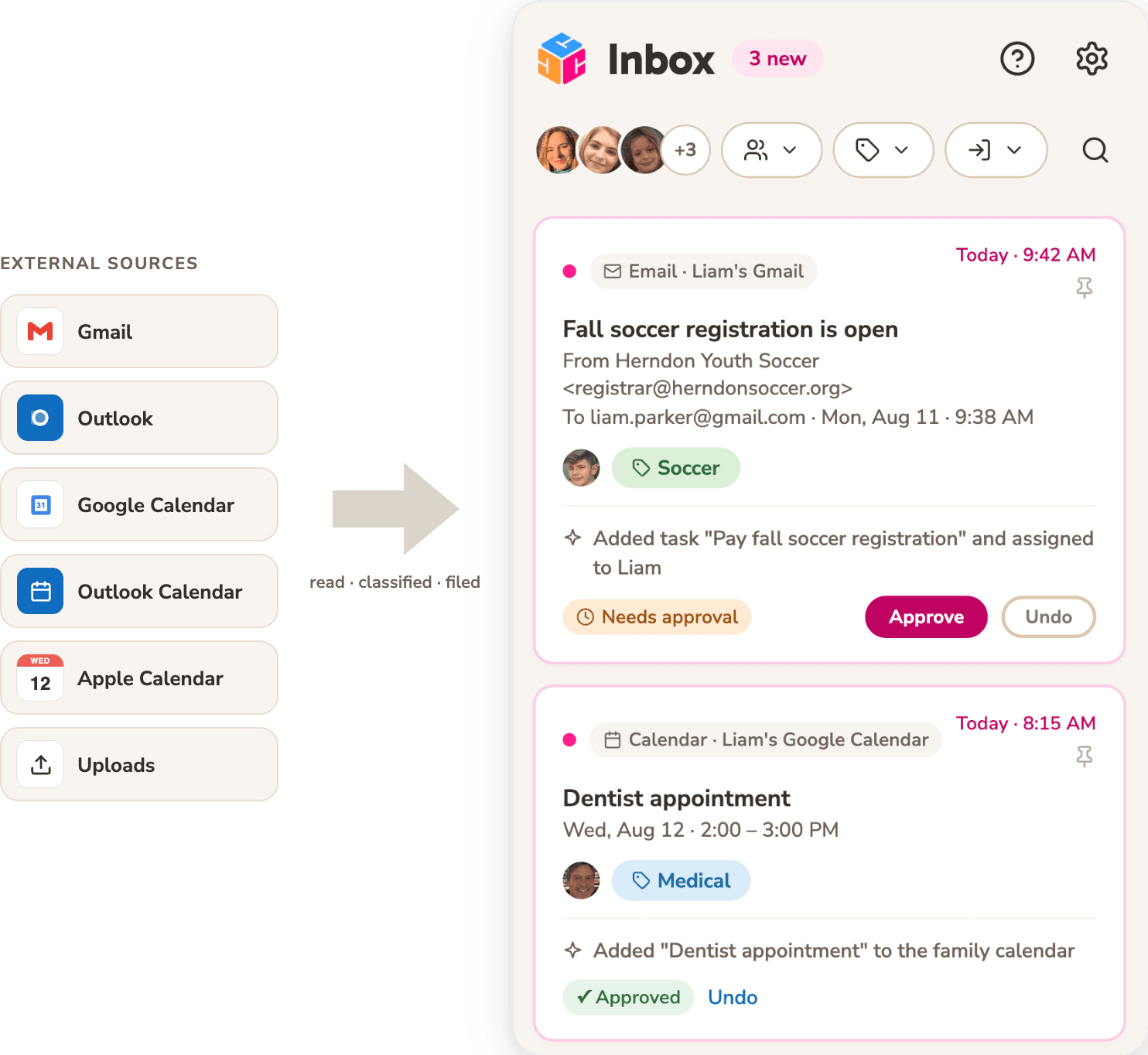
Fluent in School Email.
Cubby connects to your inbox and calendars, translates twelve paragraphs of newsletter into the three things you actually need, and quietly adds them where they belong.
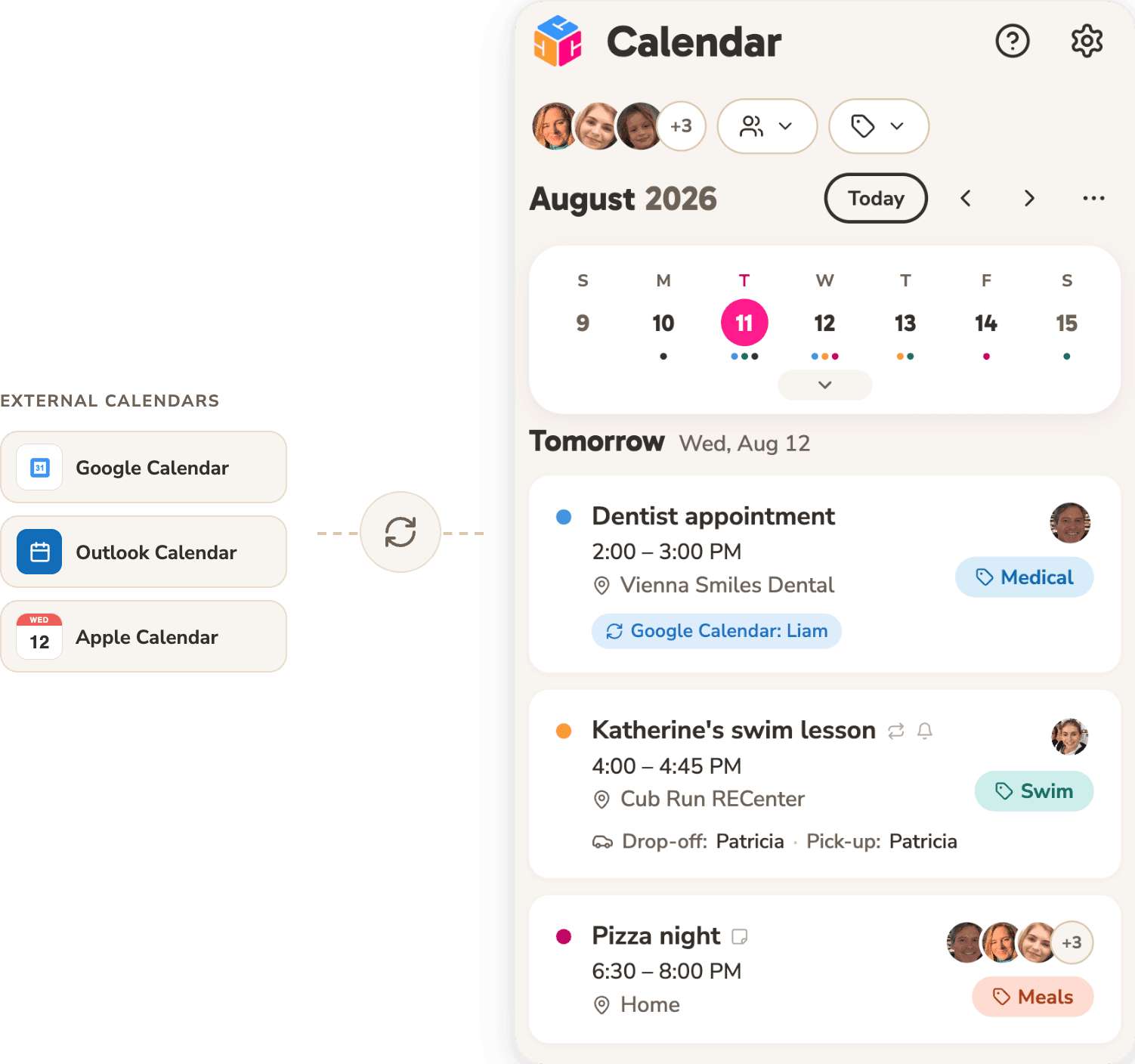
One calendar. The whole circus.
Every family member, every activity, one shared calendar. Filter it by person or by channel — just soccer, just the kids — and it stays in sync with the Google, Outlook, and Apple calendars you already use.
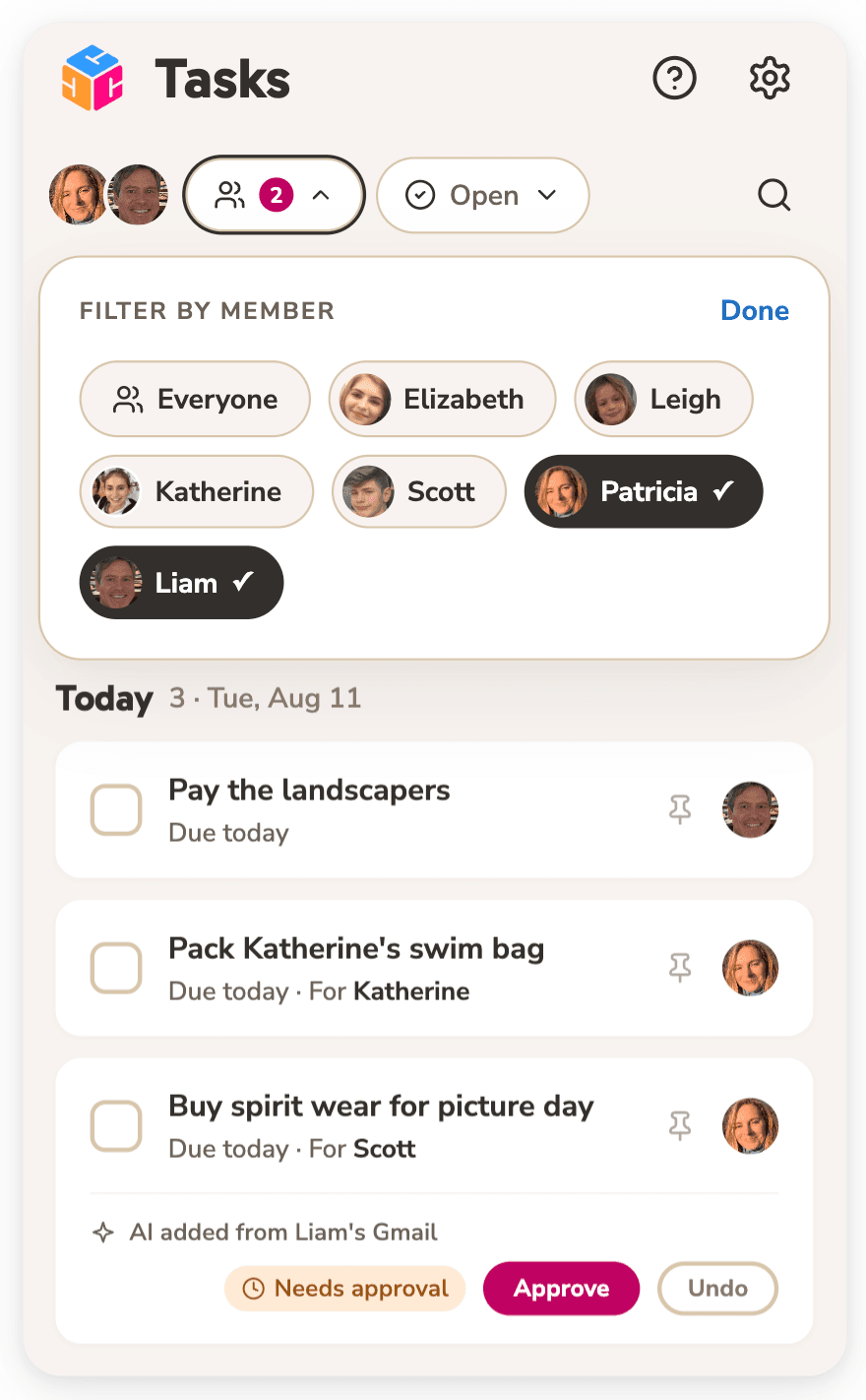
To-dos that actually get done.
Assign to-dos and track them to done — Cubby adds and assigns the ones it spots, too. Delegate a task to Cubby AI and it'll help finish it, even working ahead on your behalf. Anything important waits for your approval first.
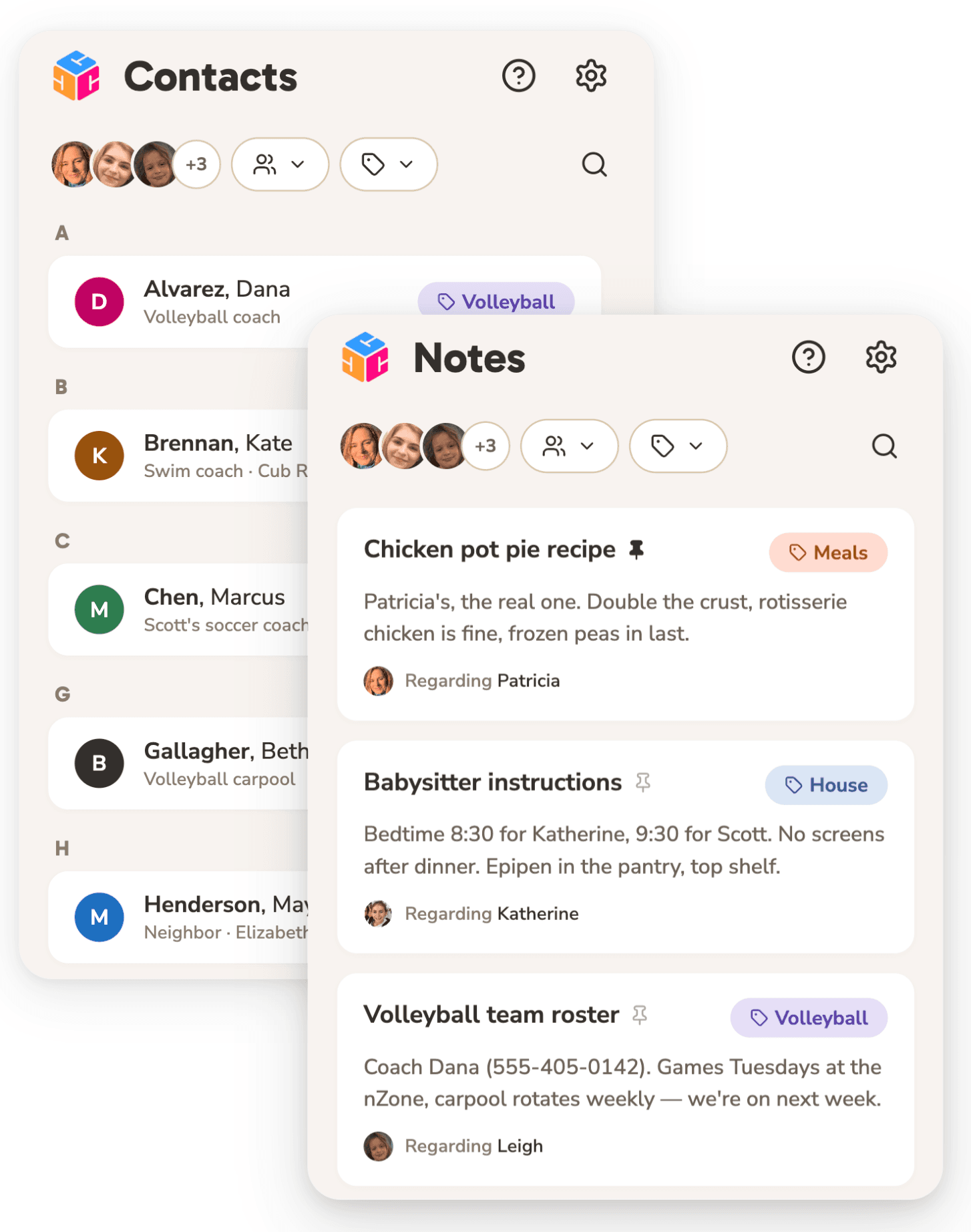
The details, right where you left them.
The babysitter instructions, the coach's number, the recipe that actually works — organized by topic and family member, easy to find the moment you need them. Cubby adds new notes and contacts automatically from what lands in your inbox.
Fair questions.
How easy is it to set up?
Cubby is built to be simple to use. It takes under 5 minutes to set up your account and start seeing the benefits.
When does Cubby launch?
We're accepting signups for early access now. After you sign up, we'll quickly notify you when your spot opens up.
How much will it cost?
Cubby is FREE during the early access period. After launch, we'll continue offering a free plan in addition to paid plans for premium features.
What will Cubby never do?
It never sells your data. It never buries you in notifications: one brief a day, capped. And it never spends money, sends a message, or books anything without your OK.
Why does it ask first?
Because helpers shouldn't outrank the family they work for. Cubby preps everything and acts only on your yes. That's not a limitation. It's the job description.
What if I ignore it for a week?
It keeps working, keeps it to one brief a day, and never guilts you. Approvals wait patiently, and it'll re-ask, kindly. The receipt will be there when you're back.
How is my data protected?
Your family's data is precious cargo and we treat it that way. Your data is always your data, owned by you, and never shared. We use bank-grade security encryption and authentication protocols to protect your information. Learn more in Privacy & Security.
How can I contact Cubby if I have more questions?
Email us at hello@getcubby.com. We're eager to answer any questions you may have!
Next week is coming. Bring Cubby.
Signup to get FREE early access. We're opening spots family by family.